Buy bvws.eu ?
We are moving the project
bvws.eu .
Are you interested in purchasing the domain
bvws.eu ?
domain@kv-gmbh.de · 0541-91531010
Buy bvws.eu ?
How do I delete keyframes in Blender?
To delete keyframes in Blender, first select the object or property that has the keyframes you want to delete. Then, go to the timeline or dope sheet editor and locate the keyframes you want to remove. Once you have selected the keyframes, press the "X" key and choose "Delete Keyframes" from the menu that appears. This will remove the selected keyframes from the animation. **
Can't you move the After Effects keyframes?
Yes, you can move After Effects keyframes by selecting them and then dragging them to a new position on the timeline. You can also use keyboard shortcuts to move keyframes, such as holding down the Option key (Mac) or Alt key (Windows) while dragging the keyframes to duplicate them. Additionally, you can use the graph editor to adjust the timing and value of keyframes for more precise control over the animation. **

Similar search terms for Keyframes
Top-Angebote
Products related to Keyframes:
-
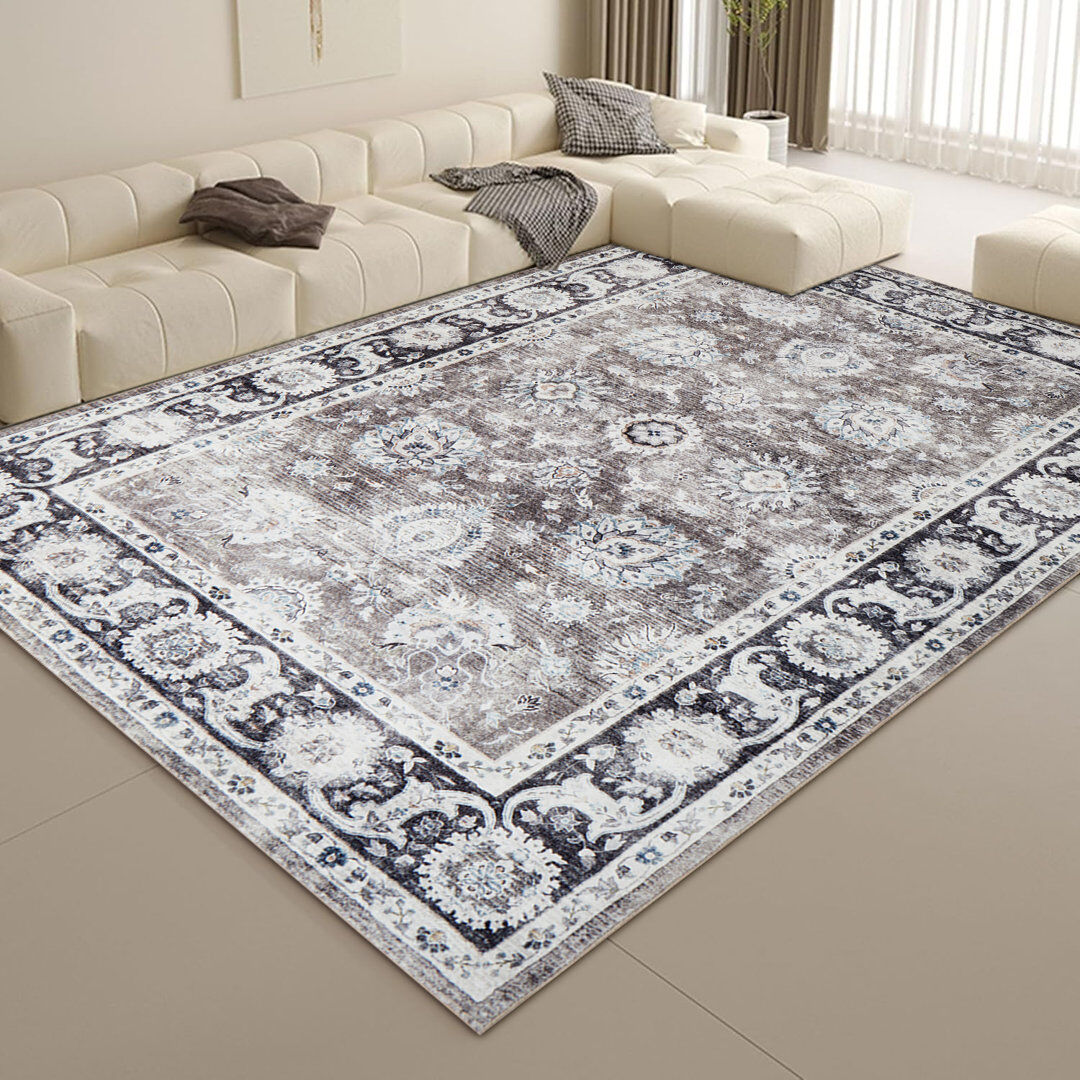
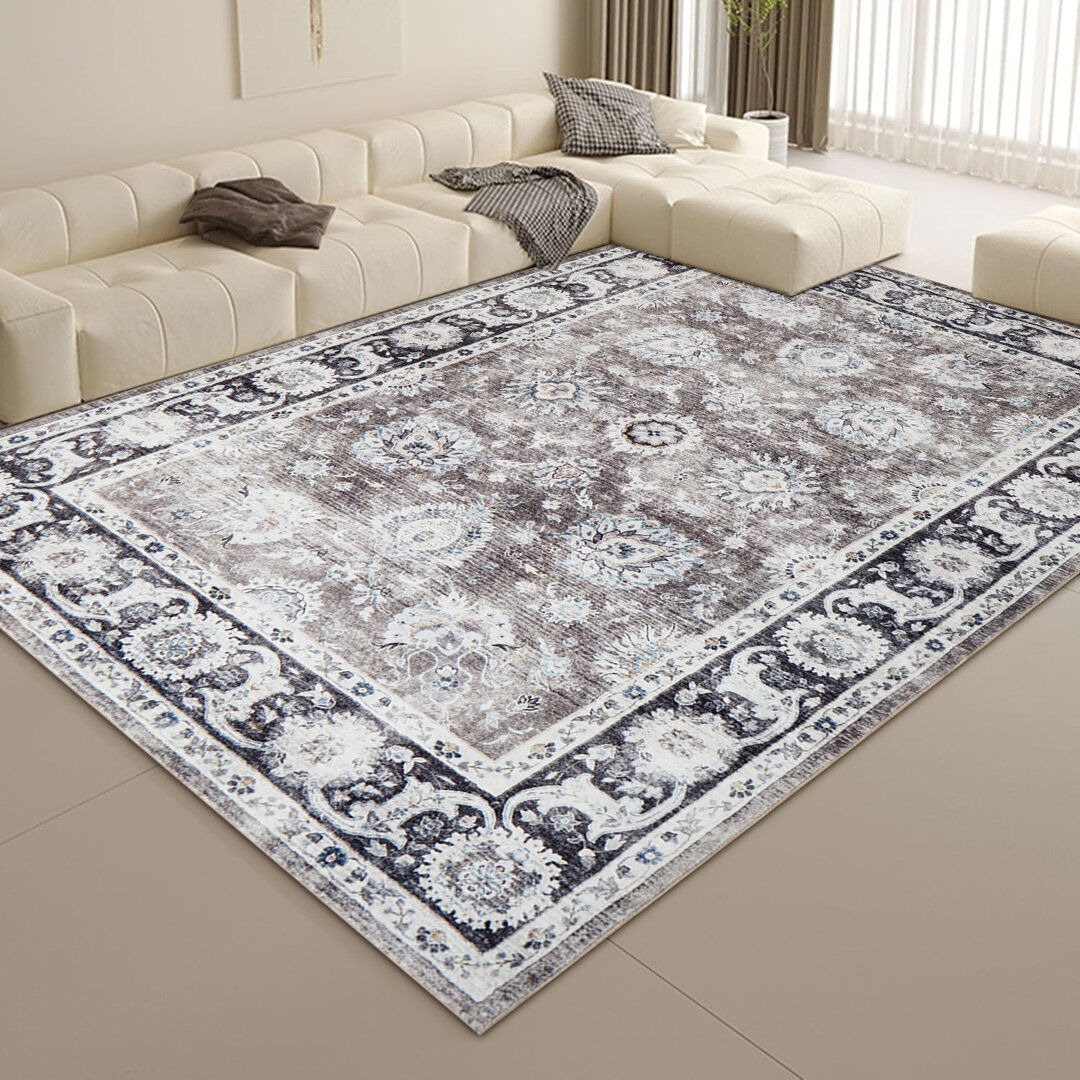
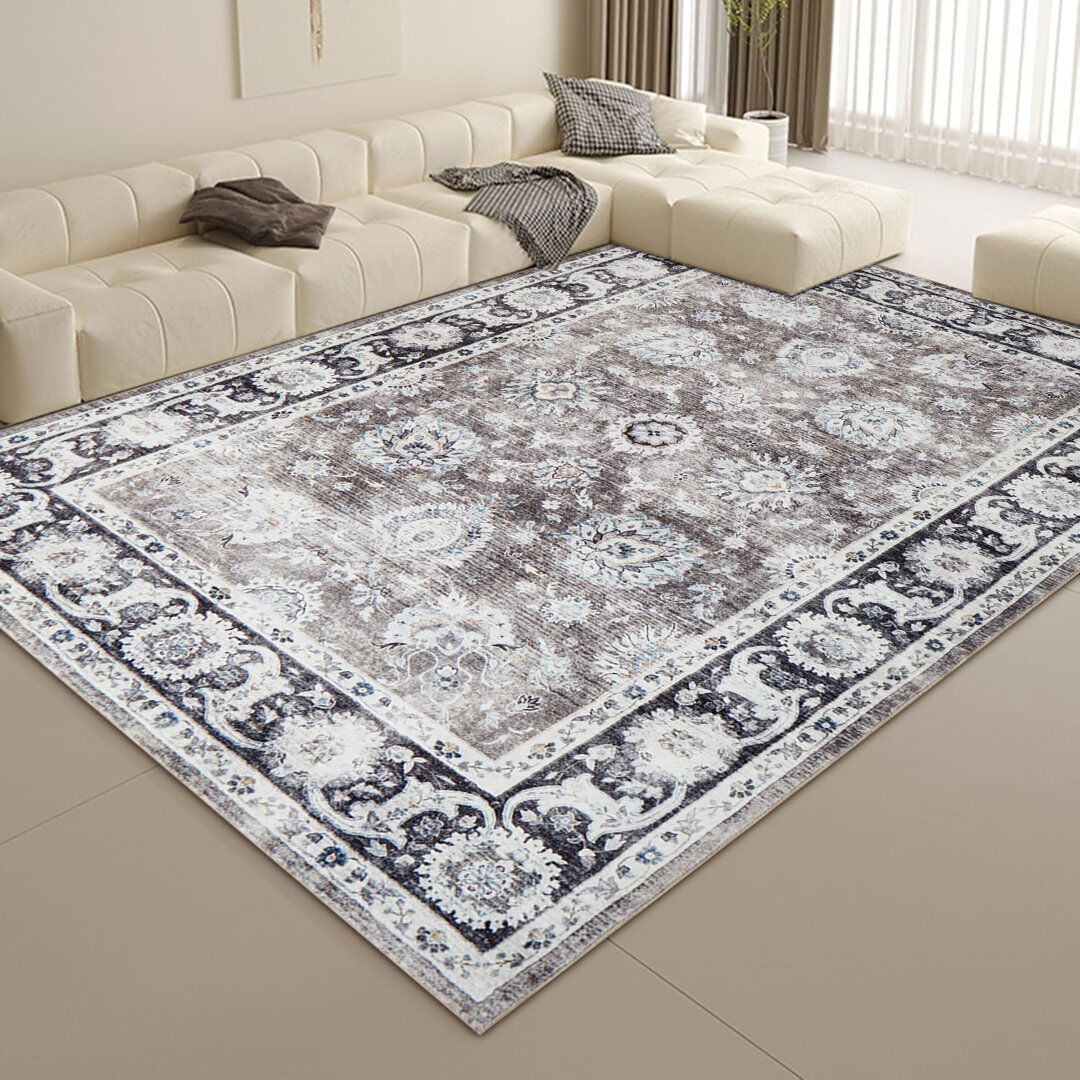
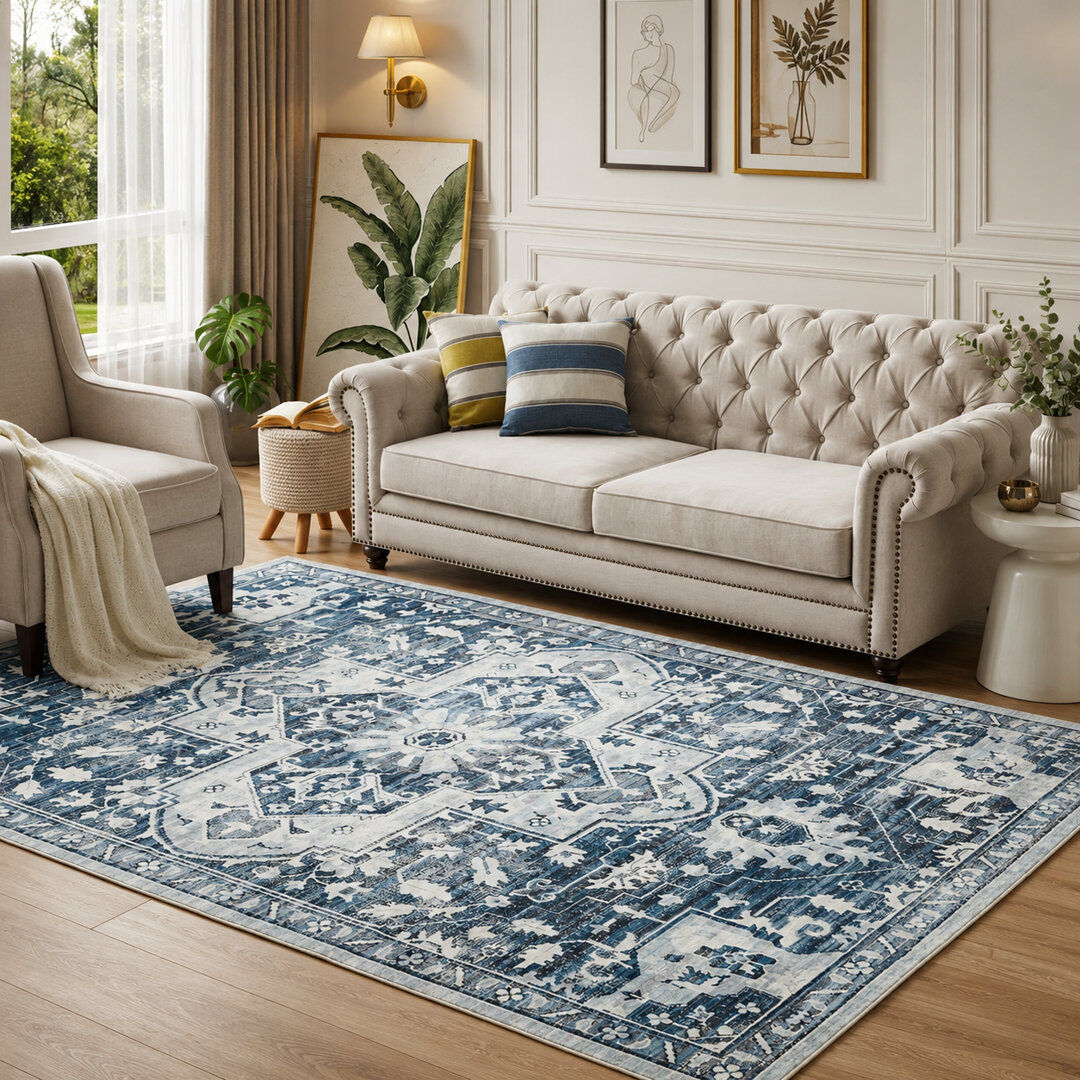
Marlow Home Co. Armo Harmony Cashmere Rug – Elegance & Comfort Harmony Rectangle 160cm x 230cmIntroduce a touch of sophistication to your home with the Harmony Cashmere Rug, designed to enhance any space with its intricate patterns and soft, muted tones. The beautifully distressed detailing adds character, while the luxurious cashmere-blend fabric provides an ultra-soft surface underfoot. Whether you're styling a modern, classic, or bohemian interior, this rug effortlessly ties the room together with its refined elegance. Crafted for both beauty and function, this rug is fade-resistant and built to withstand daily wear. The non-slip backing keeps it securely in place, making it safe for households with kids and pets. Its lightweight, foldable design ensures easy handling, and the machine-washable material simplifies maintenance. Perfect for living rooms, bedrooms, or cozy reading nooks, the Harmony rug brings warmth and charm to any setting. Brand Name: Marlow Home Co.. Rug Size: Rectangle 160cm x 230cm50,99 £*Shipping: 4,99 £Secure redirect to the provider
-
Marlow Home Co. Armo Harmony Cashmere Rug – Elegance & Comfort Harmony Rectangle 200cm x 290cmIntroduce a touch of sophistication to your home with the Harmony Cashmere Rug, designed to enhance any space with its intricate patterns and soft, muted tones. The beautifully distressed detailing adds character, while the luxurious cashmere-blend fabric provides an ultra-soft surface underfoot. Whether you're styling a modern, classic, or bohemian interior, this rug effortlessly ties the room together with its refined elegance. Crafted for both beauty and function, this rug is fade-resistant and built to withstand daily wear. The non-slip backing keeps it securely in place, making it safe for households with kids and pets. Its lightweight, foldable design ensures easy handling, and the machine-washable material simplifies maintenance. Perfect for living rooms, bedrooms, or cozy reading nooks, the Harmony rug brings warmth and charm to any setting. Brand Name: Marlow Home Co.. Rug Size: Rectangle 200cm x 290cm81,99 £*Shipping: 0,00 £Secure redirect to the provider
-
Hi-Line Gift Sunny Serenity: Radiant Yellow Polyresin Angel Dog FigurineIlluminate your outdoor space with the radiant charm of Sunny Serenity - a vibrant yellow polyresin angel dog figurine. Crafted with meticulous detail, this figurine brings a touch of celestial joy to gardens, patios, or any outdoor sanctuary.40,41 $*Shipping: 0,00 $Secure redirect to the provider
-
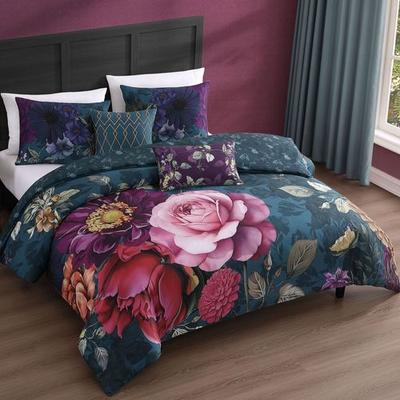
Zako Llc Vibrant Flora Comforter Bed Set Blue, Queen, BlueBeautiful tones fill the pristine petals of the Vibrant Flora Bedding. The 5-piece Bed Set includes an oversized comforter, 2 shams, and 2 decorative pillows. Printed in an overscale detailed design, the blue cotton sateen bedding features lovely...164,99 $*Shipping: 0,00 $Secure redirect to the provider

-
What is the ideal distance between keyframes?
The ideal distance between keyframes in animation typically depends on the specific movement being animated. For fast movements or actions, keyframes may be placed closer together to capture more detail and fluidity. On the other hand, for slower movements or more subtle animations, keyframes can be spaced further apart to create a smoother transition between poses. It is important to find a balance between having enough keyframes to accurately convey the movement while also avoiding unnecessary clutter in the timeline. **
-
Is there no layout effect in keyframes in VideoStar?
In VideoStar, keyframes do have a layout effect. Keyframes allow users to set specific parameters for effects or transitions at different points in a video, including layout adjustments such as position, scale, and rotation. By setting keyframes, users can create dynamic and visually engaging video edits with layout effects that change over time. **
-
How do I create random numbers in CSS Keyframes?
In CSS Keyframes, you can create random numbers by using the `calc()` function along with the `Math.random()` method. For example, you can use `calc(Math.random() * 100)` to generate a random number between 0 and 100. You can then use this random number within your keyframes to create dynamic and unpredictable animations. Keep in mind that the `Math.random()` method generates a random decimal number between 0 and 1, so you may need to adjust the range and format of the random number as per your specific requirements. **
-
What is the bug with keyframes in Blender animations?
The bug with keyframes in Blender animations is that sometimes keyframes can become corrupted or lost, leading to unexpected behavior in the animation. This can result in sudden jumps or glitches in the animation, making it difficult to create smooth and consistent movement. Additionally, the interpolation between keyframes may not work as intended, causing the animation to appear jerky or unnatural. This bug can be frustrating for animators and may require manual adjustments to fix the issues. **

Can keyframes be applied to adjustment layers in Premiere Pro?
Yes, keyframes can be applied to adjustment layers in Premiere Pro. Adjustment layers allow you to apply effects and adjustments to multiple clips at once, and keyframes can be used to animate these adjustments over time. By adding keyframes to the adjustment layer, you can create dynamic changes in color, exposure, or other visual effects across your entire sequence. This can be a powerful tool for creating smooth and professional-looking edits in your video projects. **
How can one convert audio into keyframes in HitFilm Express?
In HitFilm Express, you can convert audio into keyframes by using the Audio Waveform effect. First, add the Audio Waveform effect to the audio track you want to convert. Then, adjust the settings of the Audio Waveform effect to customize the appearance of the keyframes. Once the effect is applied, keyframes will be automatically generated based on the audio levels. You can then use these keyframes to drive visual effects or animations in your project. **
Top-Angebote
Products related to Keyframes:
-
Good Directions "20"" Tranquil Harmony Bird Bath Basin"Introduce tranquility to your avian companions with this exquisite copper basin. Crafted with the utmost care, the inner surface of this birdbath features delicate hand-punched, beaded embellishments, gracefully adorning the dark brass, rubbed...111,79 $*Shipping: 0,00 $Secure redirect to the provider
-
Marlow Home Co. Armo Harmony Cashmere Rug – Elegance & Comfort Harmony Rectangle 240cm x 320cmIntroduce a touch of sophistication to your home with the Harmony Cashmere Rug, designed to enhance any space with its intricate patterns and soft, muted tones. The beautifully distressed detailing adds character, while the luxurious cashmere-blend fabric provides an ultra-soft surface underfoot. Whether you're styling a modern, classic, or bohemian interior, this rug effortlessly ties the room together with its refined elegance. Crafted for both beauty and function, this rug is fade-resistant and built to withstand daily wear. The non-slip backing keeps it securely in place, making it safe for households with kids and pets. Its lightweight, foldable design ensures easy handling, and the machine-washable material simplifies maintenance. Perfect for living rooms, bedrooms, or cozy reading nooks, the Harmony rug brings warmth and charm to any setting. Brand Name: Marlow Home Co.. Rug Size: Rectangle 240cm x 320cm99,99 £*Shipping: 0,00 £Secure redirect to the provider
-
Marlow Home Co. Armo Harmony Cashmere Rug – Elegance & Comfort Harmony Rectangle 160cm x 230cmIntroduce a touch of sophistication to your home with the Harmony Cashmere Rug, designed to enhance any space with its intricate patterns and soft, muted tones. The beautifully distressed detailing adds character, while the luxurious cashmere-blend fabric provides an ultra-soft surface underfoot. Whether you're styling a modern, classic, or bohemian interior, this rug effortlessly ties the room together with its refined elegance. Crafted for both beauty and function, this rug is fade-resistant and built to withstand daily wear. The non-slip backing keeps it securely in place, making it safe for households with kids and pets. Its lightweight, foldable design ensures easy handling, and the machine-washable material simplifies maintenance. Perfect for living rooms, bedrooms, or cozy reading nooks, the Harmony rug brings warmth and charm to any setting. Brand Name: Marlow Home Co.. Rug Size: Rectangle 160cm x 230cm50,99 £*Shipping: 4,99 £Secure redirect to the provider
-
Marlow Home Co. Armo Harmony Cashmere Rug – Elegance & Comfort Harmony Rectangle 200cm x 290cmIntroduce a touch of sophistication to your home with the Harmony Cashmere Rug, designed to enhance any space with its intricate patterns and soft, muted tones. The beautifully distressed detailing adds character, while the luxurious cashmere-blend fabric provides an ultra-soft surface underfoot. Whether you're styling a modern, classic, or bohemian interior, this rug effortlessly ties the room together with its refined elegance. Crafted for both beauty and function, this rug is fade-resistant and built to withstand daily wear. The non-slip backing keeps it securely in place, making it safe for households with kids and pets. Its lightweight, foldable design ensures easy handling, and the machine-washable material simplifies maintenance. Perfect for living rooms, bedrooms, or cozy reading nooks, the Harmony rug brings warmth and charm to any setting. Brand Name: Marlow Home Co.. Rug Size: Rectangle 200cm x 290cm81,99 £*Shipping: 0,00 £Secure redirect to the provider
-
How do I delete keyframes in Blender?
To delete keyframes in Blender, first select the object or property that has the keyframes you want to delete. Then, go to the timeline or dope sheet editor and locate the keyframes you want to remove. Once you have selected the keyframes, press the "X" key and choose "Delete Keyframes" from the menu that appears. This will remove the selected keyframes from the animation. **
-
Can't you move the After Effects keyframes?
Yes, you can move After Effects keyframes by selecting them and then dragging them to a new position on the timeline. You can also use keyboard shortcuts to move keyframes, such as holding down the Option key (Mac) or Alt key (Windows) while dragging the keyframes to duplicate them. Additionally, you can use the graph editor to adjust the timing and value of keyframes for more precise control over the animation. **
-
What is the ideal distance between keyframes?
The ideal distance between keyframes in animation typically depends on the specific movement being animated. For fast movements or actions, keyframes may be placed closer together to capture more detail and fluidity. On the other hand, for slower movements or more subtle animations, keyframes can be spaced further apart to create a smoother transition between poses. It is important to find a balance between having enough keyframes to accurately convey the movement while also avoiding unnecessary clutter in the timeline. **
-
Is there no layout effect in keyframes in VideoStar?
In VideoStar, keyframes do have a layout effect. Keyframes allow users to set specific parameters for effects or transitions at different points in a video, including layout adjustments such as position, scale, and rotation. By setting keyframes, users can create dynamic and visually engaging video edits with layout effects that change over time. **
Similar search terms for Keyframes
-
Hi-Line Gift Sunny Serenity: Radiant Yellow Polyresin Angel Dog FigurineIlluminate your outdoor space with the radiant charm of Sunny Serenity - a vibrant yellow polyresin angel dog figurine. Crafted with meticulous detail, this figurine brings a touch of celestial joy to gardens, patios, or any outdoor sanctuary.40,41 $*Shipping: 0,00 $Secure redirect to the provider
-
Zako Llc Vibrant Flora Comforter Bed Set Blue, Queen, BlueBeautiful tones fill the pristine petals of the Vibrant Flora Bedding. The 5-piece Bed Set includes an oversized comforter, 2 shams, and 2 decorative pillows. Printed in an overscale detailed design, the blue cotton sateen bedding features lovely...164,99 $*Shipping: 0,00 $Secure redirect to the provider
-
Acorelle Be Positive Harmony Cherry Blossom Eau de Parfum 15 mlHealth and Beauty Perfumes Acorelle Be Positive Harmony Cherry Blossom Eau de Parfum 15 ml Ode to femininity Luminous and elegant, Harmony organic eau de parfum has only one idea in mind: awaken your femininity! A hypnotic floral fragrance, enhanced with delicious notes of raspberry and palmarosa. In a burst of sensuality, its floral aromas of Rose, Magnolia and Cherry Blossom reveal all its poetry. Its powdery trail is wrapped in softness on a creamy base of cedar and sandalwood, for a most intoxicating effect. You are radiant, dare to say it! - Top notes: cherry, bergamot - Heart notes: Rose, cherry blossom, Magnolia - Base notes: raspberry, Ho wood. Cultivate your inner peace Being well in yourself and for you, this is the invitation launched by Harmony organic Eau de parfum. As a guest star, a patented Cornflower active ingredient, which acts as a well-being enhancer. Its action is immediate, a single spray is enough to reduce the effects of stress and spread a wave of serenity. It's scientific! It stimulates the production of Klotho, a protein naturally present in the body and responsible for happiness. Take a deep breath and relax. The harmonizing and relaxing properties of Rose drive away negative thoughts to regain emotional balance. Soft and floral, Palmarosa dissipates uncertainties while Bois de Hô restores confidence, comforts and encourages you to assert yourself. Infinitely positive and revitalizing, your perfume becomes a true support to boost your daily life and see life on the bright side. The perfume that follows your mood! On the Mix side, the art of superimposing two perfumes. On the Match side, aromas that combine perfectly! We offer ourselves the possibility of changing perfume according to our mood and finally revealing our true identity. Without rules! It's time to unleash your creativity and change your perfume as you see fit! Layer your duo starting with the most intense scent. Create your own style! A match for the daring! Apply Cédrat Eau de Parfum to restore energy and then calm Cherry Blossom for a touch of confidence and femininity. The freshness of citrus fruits is combined with floral notes. Beautiful harmony, the mixture of the two creates the most revitalizing perfume that exists! Combined with Optimism Eau de Parfum, orange and cherry blossoms combine their summer vibes for an immediate good-mood effect. Light, soft and luminous, cherry blossom is enhanced by the sensual and sparkling notes of orange blossom. A vibrant duo! How to use: Let yourself be carried away by a wave of serenity by spraying Harmony Eau de parfum in circular movements around you. To unleash the benefits of our wellness-enhancing active, apply your perfume to pulse points such as the neck, wrists, behind the ears and the inside of the elbows. Precautions for use: Avoid contact with eyes and mucous membranes. Do not apply to irritated skin. Keep out of the reach of children. Do not swallow. Do not expose yourself to the sun after...7,80 £*Shipping: 3,99 £Secure redirect to the provider
-
Latitude Vive Caradoc Persian Area Rugs – Traditional Elegance for Any Room TRANQUIL Rectangle 200 x 290cmDiscover the Harmony Cashmere Rug for the ideal fusion of Style and Cosines. The Rug offers a luxurious and Soft texture, adding Warmth and Comfort to your living space. Its Versatile-inspired Design adds a touch of Artistic flair and create a Welcoming look of your Room. The Rug made from the finest Cashmere fibers, will make your feet feel pampered and caressed. Its Subtle but Alluring design has a symphony of colors and patterns that go well with various home design Themes. The Rug is not only soft but also Durable, designed to withstand the wear and tear of everyday life. It resists shedding and is safe for both children and pets, making it a worry-free choice for Families. It produces a Peaceful ambiance in your living room, bedroom, or even a meditation area. It reflects your taste for fine things and your desire to Harmonies your Home. Allow the Cashmere Rug to serve as your house's cornerstone of Beauty and Tranquility. Brand Name: Latitude Vive. Rug Size: Rectangle 200 x 290cm83,99 £*Shipping: 0,00 £Secure redirect to the provider
-
How do I create random numbers in CSS Keyframes?
In CSS Keyframes, you can create random numbers by using the `calc()` function along with the `Math.random()` method. For example, you can use `calc(Math.random() * 100)` to generate a random number between 0 and 100. You can then use this random number within your keyframes to create dynamic and unpredictable animations. Keep in mind that the `Math.random()` method generates a random decimal number between 0 and 1, so you may need to adjust the range and format of the random number as per your specific requirements. **
-
What is the bug with keyframes in Blender animations?
The bug with keyframes in Blender animations is that sometimes keyframes can become corrupted or lost, leading to unexpected behavior in the animation. This can result in sudden jumps or glitches in the animation, making it difficult to create smooth and consistent movement. Additionally, the interpolation between keyframes may not work as intended, causing the animation to appear jerky or unnatural. This bug can be frustrating for animators and may require manual adjustments to fix the issues. **
-
Can keyframes be applied to adjustment layers in Premiere Pro?
Yes, keyframes can be applied to adjustment layers in Premiere Pro. Adjustment layers allow you to apply effects and adjustments to multiple clips at once, and keyframes can be used to animate these adjustments over time. By adding keyframes to the adjustment layer, you can create dynamic changes in color, exposure, or other visual effects across your entire sequence. This can be a powerful tool for creating smooth and professional-looking edits in your video projects. **
-
How can one convert audio into keyframes in HitFilm Express?
In HitFilm Express, you can convert audio into keyframes by using the Audio Waveform effect. First, add the Audio Waveform effect to the audio track you want to convert. Then, adjust the settings of the Audio Waveform effect to customize the appearance of the keyframes. Once the effect is applied, keyframes will be automatically generated based on the audio levels. You can then use these keyframes to drive visual effects or animations in your project. **
* All prices are inclusive of VAT and, if applicable, plus shipping costs. The offer information is based on the details provided by the respective shop and is updated through automated processes. Real-time updates do not occur, so deviations can occur in individual cases. ** Note: Parts of this content were created by AI.